How do I set a custom rate for an Artiste, e.g Stand in Or Spact rate?
Last updated about 6 years ago
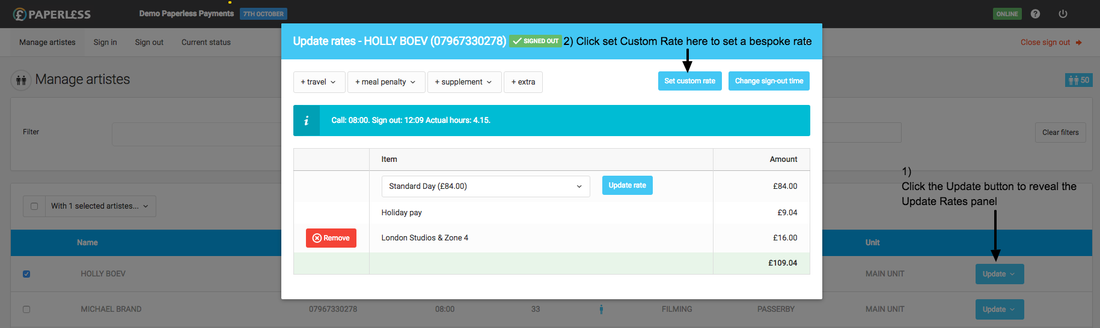
A bespoke custom rate can be set (eg Stand in or Spact Daily buyout rate) from the "Manage artistes" screen.
- Find the Artiste and click their "Update" button
- Select the "Rates" link (or "Rates / Sign out time" on open days)
- In the pop-up box select the "Set custom rate" button
- Add the custom rate and click the "Set" button
Please note: this is different from adding a one-off additional payment