How do I sign someone in late?
Last updated over 6 years ago
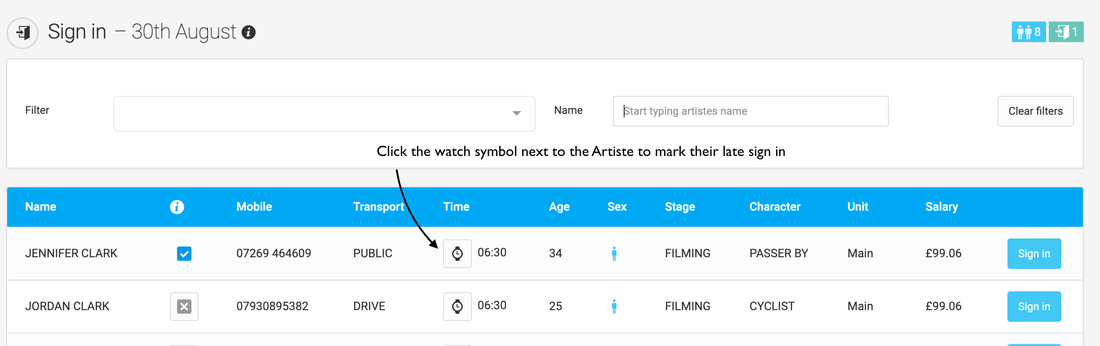
If someone is late and you want to update their sign-in time to show the true time they arrived. You can do this from the "Sign in" page by clicking on the clock symbol which is next to their call time.
From the pop-up window select the time which they came to set and click "Sign in". This time in the pop-up will default to the current time however you can change this to whatever time it should be.
If you want to change the sign-in time for an Artiste who has already been signed in (but hasn't yet been signed out) you will first need to undo the sign in by clicking their "Signed in" button.
If the Artiste has already been signed out and you want to change the sign-in time you will first need to undo the sign-out, then undo the sign in, sign them in late and then sign them out again. If you do this please take special care that the correct sign-out time is entered as this will always default to the current time.