"Sign out" explained (open days only)
Last updated over 6 years ago
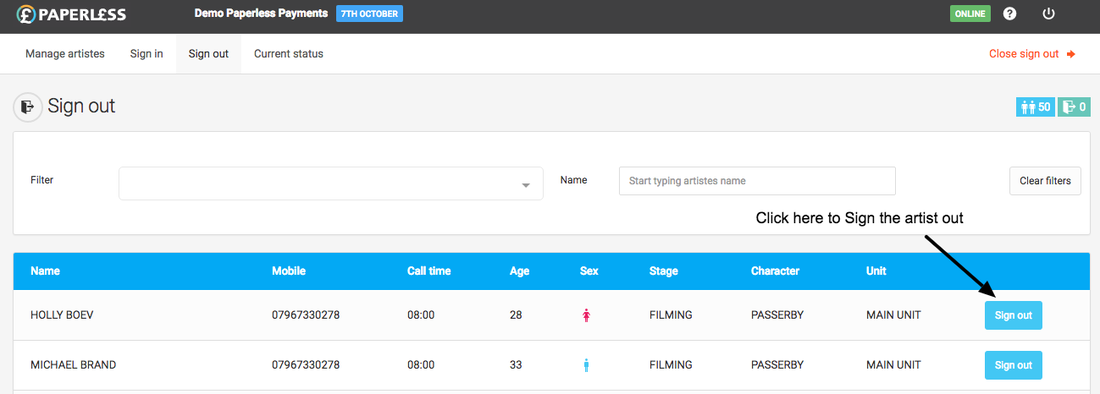
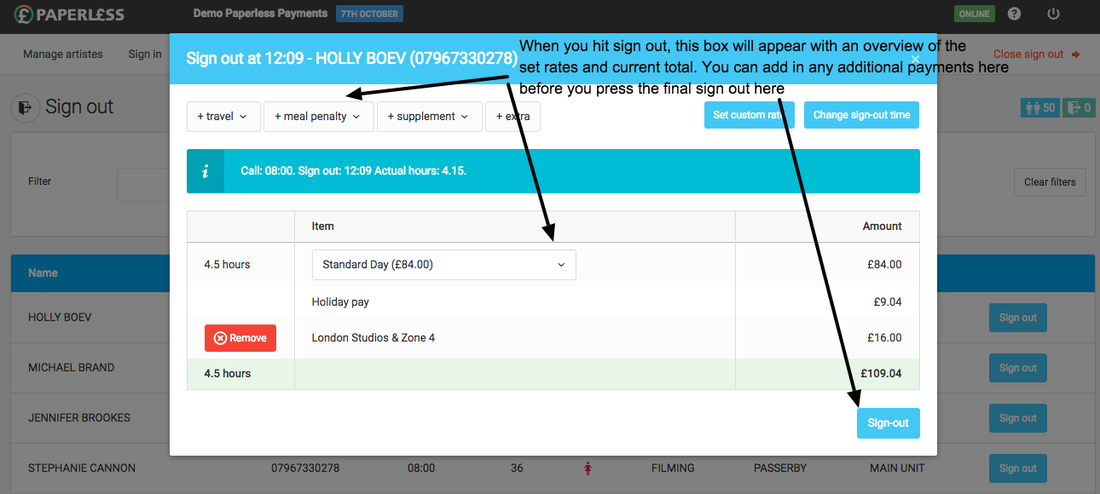
The sign out screen where you sign all the Artistes out at the end of the filming day.
An introduction video to the sign-out process is below
Just start typing a person's name and then hit the "Sign out" button and they are signed out or if you prefer you can scroll up and down the list to look for their name.
If you accidentally sign somebody out or need to undo a sign-out simply click the "Signed out" button next to the Artiste.